03 · Guide
Create a pattern
Start from a repeat, calculate from finished size or use a ready-made template.
Start with a repeat grid
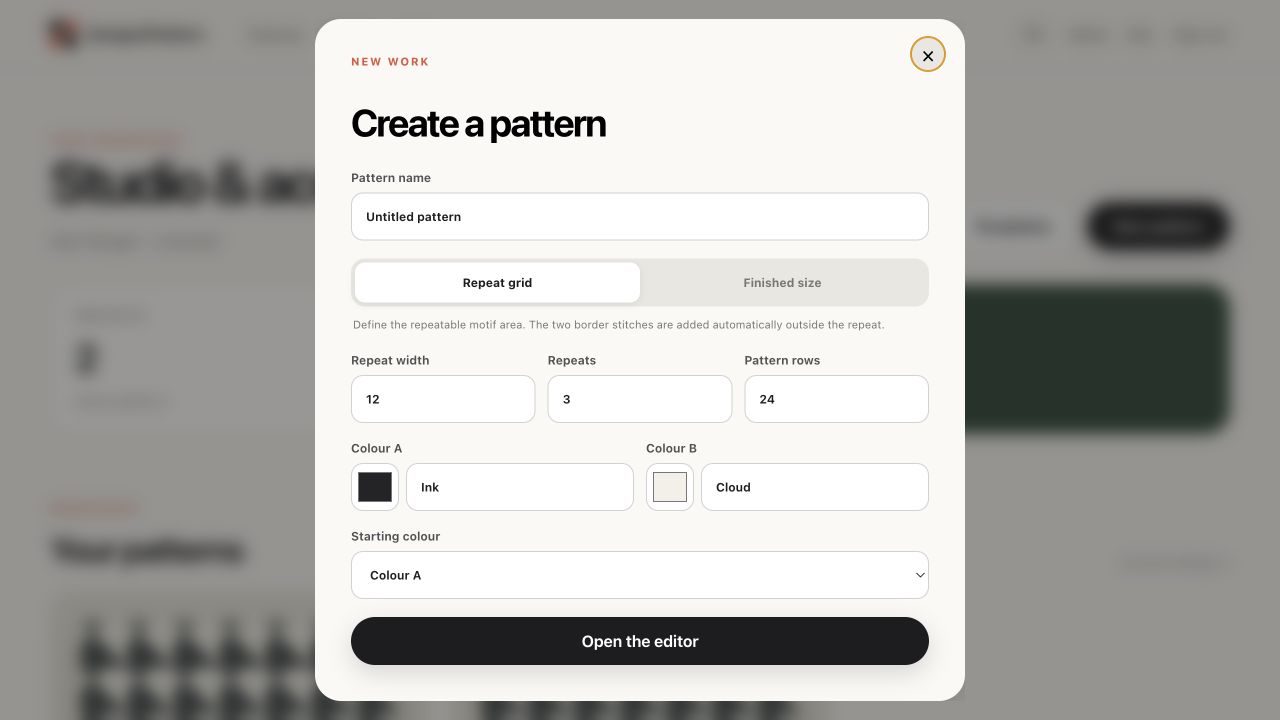
Use Repeat grid when you already know the repeat you want to draw. Repeat width is the number of editable stitches in one repeat. Repeats controls how many copies are visible across the editor. Pattern rows is the editable height.
- Choose “New pattern”.
- Give the project a clear name.
- Enter repeat width, repeat count and pattern rows.
- Choose the two starting colours and open the editor.
Start from finished size
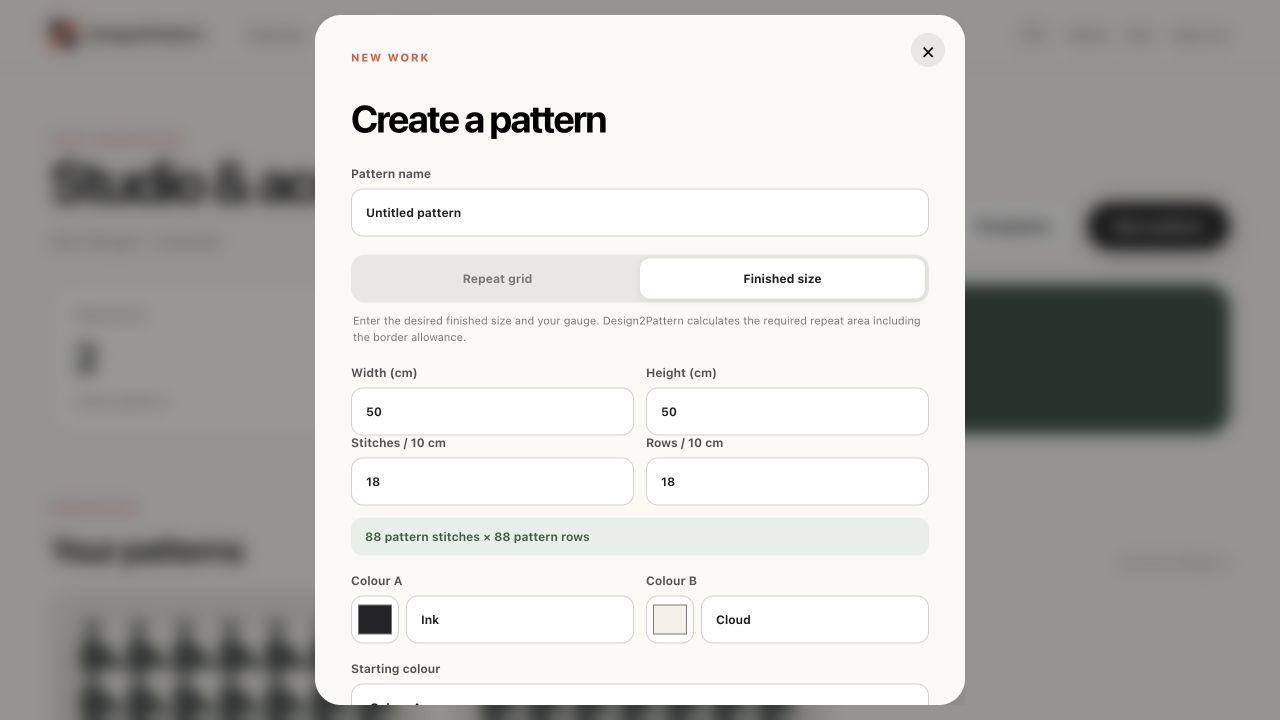
Use Finished size when you know how wide and tall the crocheted piece should be. Enter the finished measurements and your gauge. Design2Pattern calculates the editable stitches and rows. The two border stitches and two completion rows are accounted for automatically.
- Measure how many stitches and rows you crochet in 10 cm.
- Enter target width and height.
- Enter stitches and rows per 10 cm.
- Check the green calculated result before opening the editor.
Choose starting colours
Colour A begins the normal alternating sequence unless you choose Colour B as the starting colour. The colour names appear in written instructions and the PDF materials list, so use yarn names that will make sense later.
Use a template
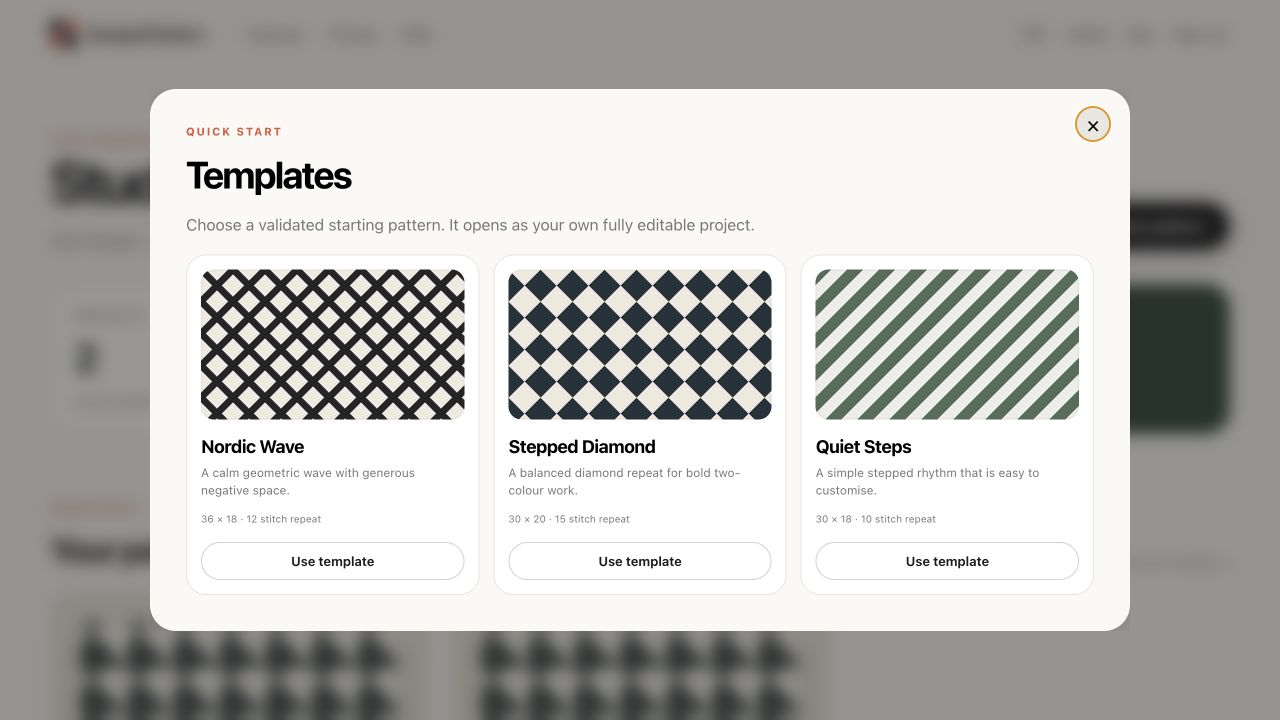
Choose “Templates” in the workspace to start from Nordic Wave, Stepped Diamond or Quiet Steps. A template creates a normal project that you can rename and edit freely.
Grid limits
A repeat can be 2–200 stitches wide, with 1–50 visible repetitions and up to 400 pattern rows. Finished-size calculations are also limited to a 400 × 400 editable grid so the editor and PDF stay reliable.