07 · Guide
Copy & symmetry tools
Repeat a section across quadrants or halves without redrawing it.
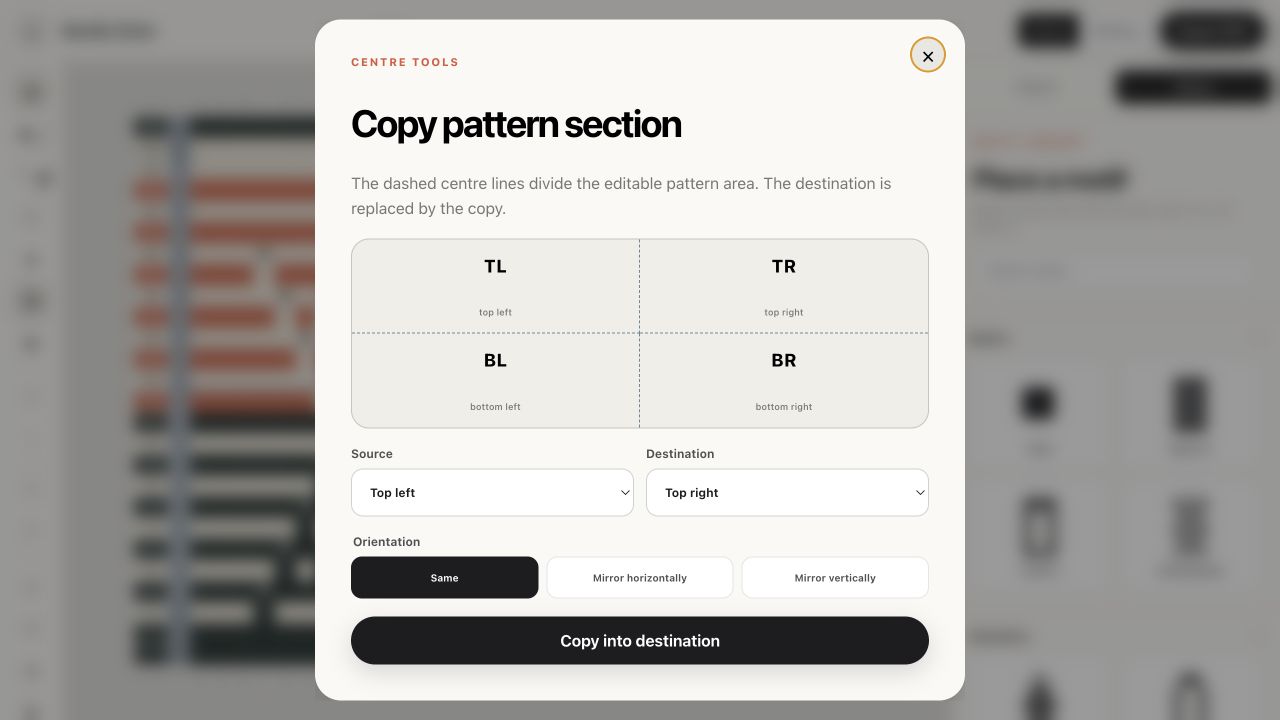
Open Copy pattern section
Choose the square-with-plus tool. The diagram labels top-left, top-right, bottom-left and bottom-right around the visible centre lines.
Choose source and destination
Source is the area you already designed. Destination is the area that will be replaced. You may copy between four quadrants or between the complete top and bottom halves.
Choose orientation
Same makes an exact copy. Mirror horizontally flips left and right. Mirror vertically flips top and bottom. Diagonal stitch directions are adjusted automatically when a mirror changes their anchor direction.
Safety checks
The copy is refused if source and destination are the same, the grid is too small or the result would stack drop-down stitches in consecutive rows. Change the selected regions or correct the source pattern and try again.