08 · Guide
Checks & written instructions
Understand warnings, calculated counts and the row-by-row preview.
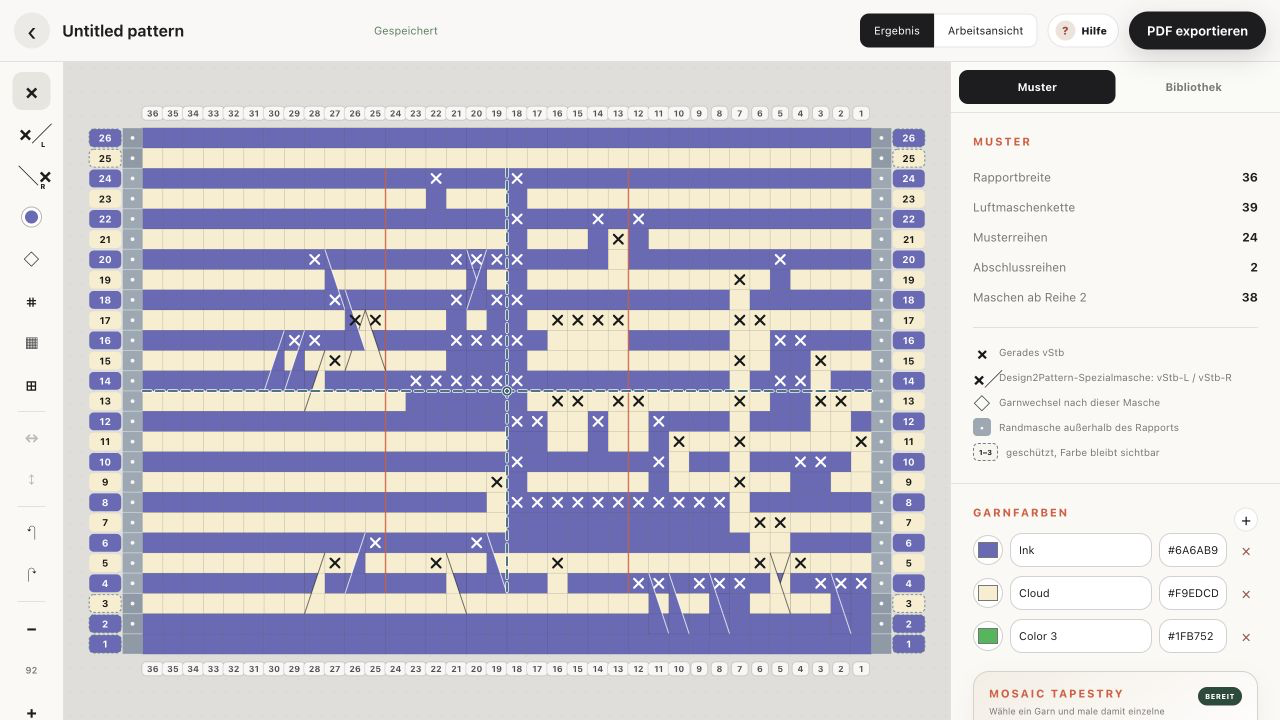
Automatic checks
Checks run while you work and again on the server. A green dot means no construction error was found. Warnings may still point out colour endings, symmetry differences or a long foundation chain.
Missing or outside anchor
A straight or diagonal drop-down needs a valid free front loop two physical rows below. A diagonal anchor must also stay inside the chart. Move, change or erase the marked stitch.
Stacked drop-down stitches
Two drop-down stitches cannot occupy the same column in consecutive rows because the second would not have a usable anchor. The editor blocks new stacking and reports invalid stitches from older projects.
Pattern calculations
The inspector shows repeat width, foundation chain, pattern rows, completion rows and stitches from Row 2. These counts include the border rules automatically.
Written preview
The row-by-row preview uses your active language and terminology. It names the yarn colour, border stitches and every stitch run. English can use US or UK terms; German uses German abbreviations.